 Ignidra
Ignidra The application
Everything Ignidra does
Every feature below is free unless marked Premium. Screenshots come from the demo built into the app.
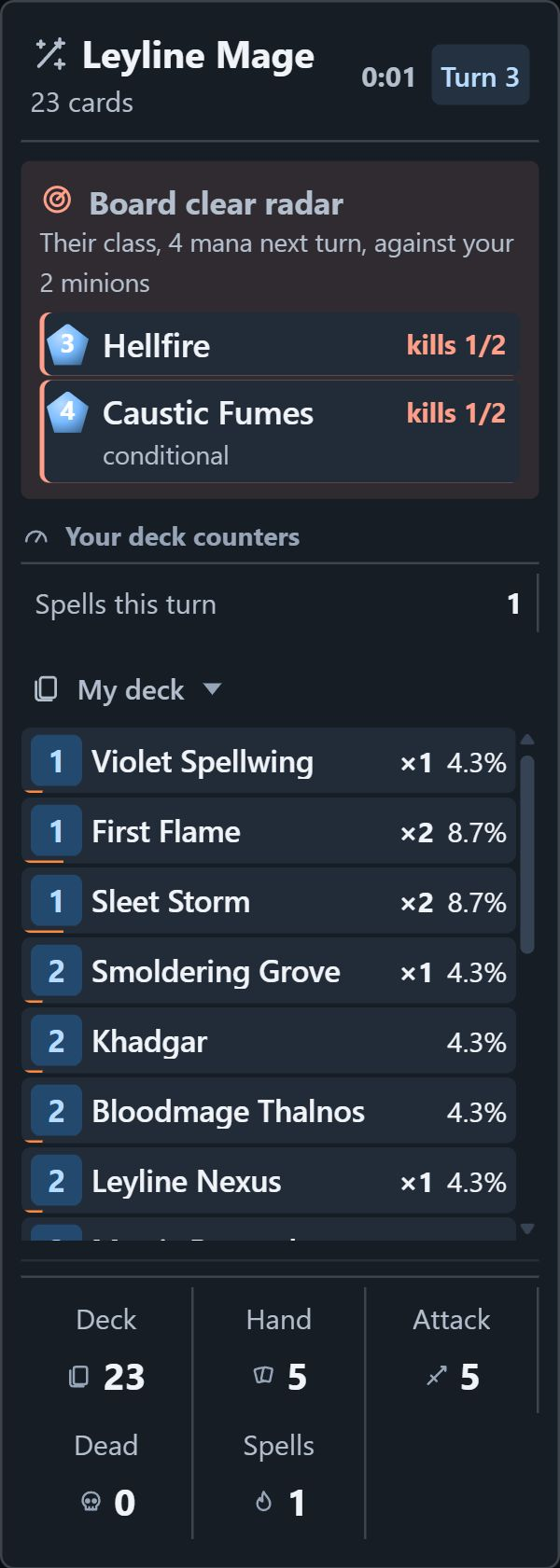
My deck panel
What's left in your deck, and what you can expect from it.
- Remaining deck
- Every card with its cost, copies left and odds of being your next draw. Legendaries are highlighted.
- Odds over several draws
- Hover a card: odds of drawing it within 1, 2 or 3 draws, and your personal stats with it.
- Cards added to your deck
- Cards shuffled into your deck during the game are tracked too.
- Your deck's counters
- Read from your cards' text: spells by school, Hero Power uses, Overload, friendly attacks, Kindred, resurrections… Only the counters your deck needs are shown.
- Lethal on board
- “21 damage for 20 enemy Health”: the sum of your visible attacks, counting armor, Charge, Rush, Windfury, frozen minions and attacks already made. “Lethal blocked by 2 Taunts” when a Taunt is in the way.
- Next-turn threat
- What the opponent's board and weapon can deal to you, in orange from 60% of your Health, in red if it can kill you.
- Board clear radar
- Spells and Battlecries from their class that would hit all your minions within their mana next turn, with how many of your minions would die.
- Their spell reach
- “Board 3 + Fireball 6 = 9 for your 9 Health”: the best direct-damage spell from their class within their mana next turn.
- Synergies and related cards
- On hover: cards in your deck that work with this one, and cards it can create.
- Your opening hand
- At the mulligan, for each card: your win rate when you kept it and when you mulliganed it. Your numbers, no verdict.
- End-of-game summary
- As soon as the game ends: mana spent, length, key findings and a button to the full review.
Opponent panel
Everything they've revealed since the start of the game, sorted.
- Their hand, card by card
- The turn each card was drawn, their opening hand, the Coin, and created cards with what created them. A card kept since the mulligan and still in hand on turn 4 is flagged.
- Cards played and minions that died
- In order, with copies.
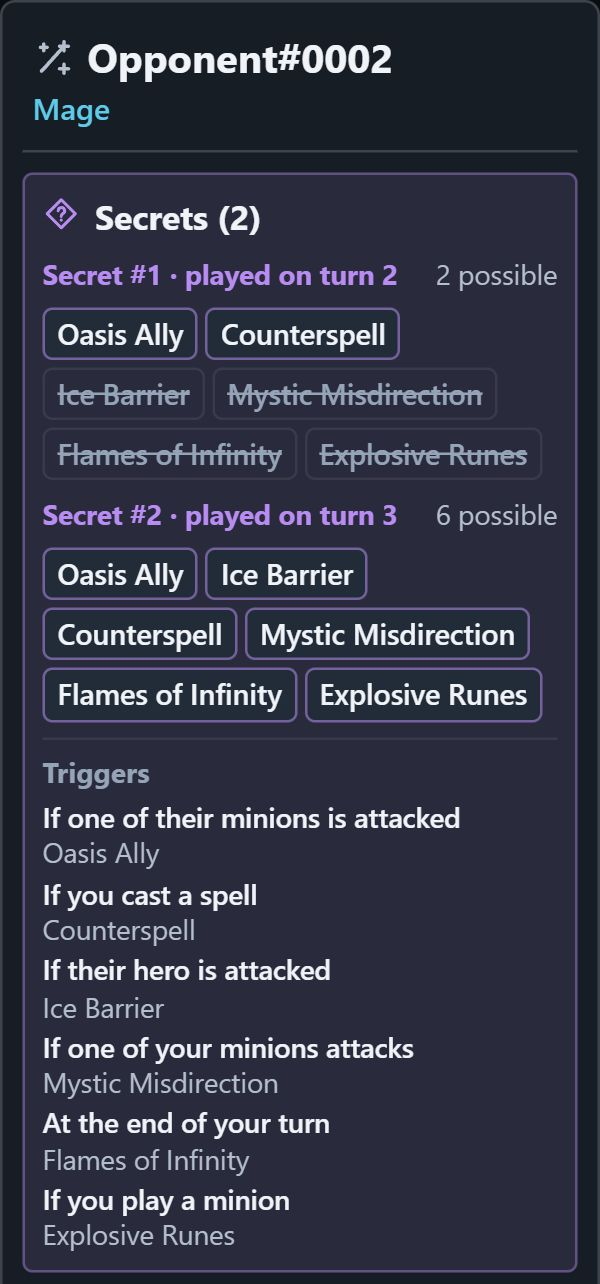
- Possible Secrets
- For each Secret: the candidates for their class and format, crossed out as actions happen. Two identical Secrets can't coexist: when one is revealed, it leaves the other's candidates.
- What would trigger their Secrets
- “If one of their minions is attacked: Oasis Ally”. Information about cards, worded as such.
- Seen before from this class
- Cards opponents of this class have played against you in the last 90 days, checked off when they show up.
- Your notes against this class
- Written by you in the review, recalled at the start of each game against this class.
- Match prep
- At the mulligan: your record against this class over 90 days. See the exclusives.
Panels that stay out of the way
They snap to the game window and let your clicks through.
- Move and resize
- Drag the title to move a panel, the bottom handle to set its height. Positions are saved automatically.
- Quick settings
- On hover: collapse the panel, set its opacity, text size and width, or hide it.
- Shortcuts
- Ctrl+Shift+B hides or shows the panels, Ctrl+Shift+L opens layout mode.
- Two layouts
- One for regular games, one for Battlegrounds, saved separately.
- Never off-screen
- A panel that would end up off-screen (unplugged monitor, resolution change) is brought back to the nearest screen.
- The game keeps focus
- Panels never take focus: your keys go to the game.
Panels that stay out of the way
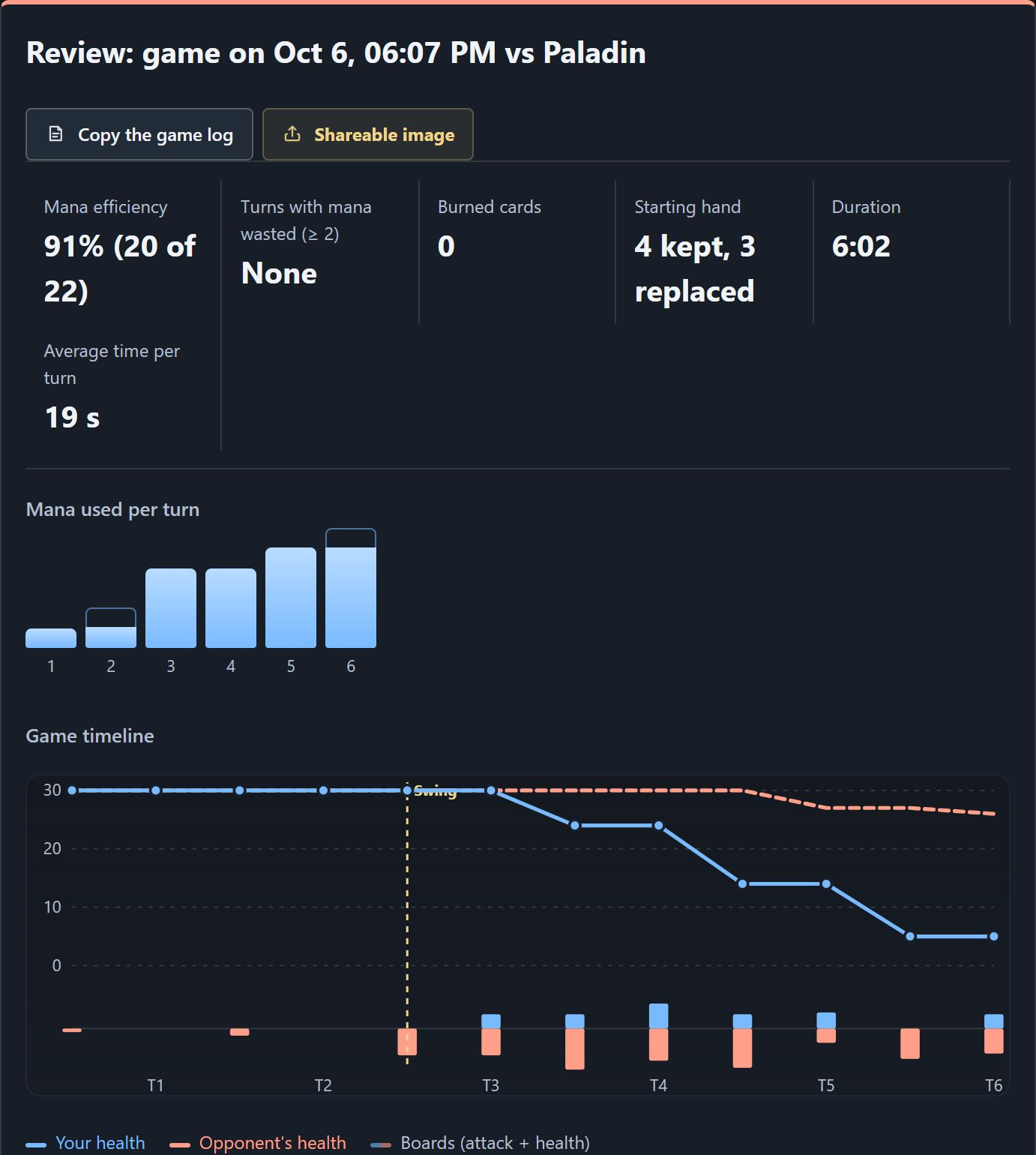
Game review
Every game in your history, reviewed with a cool head.
- Mana
- Mana efficiency (Coin and Overload included) and turns where at least 2 mana went to waste.
- Game timeline
- Your Health, your opponent's and board strength turn by turn, with the cards played each turn.
- Swing turn
- The turn where the advantage shifted the most, measured over full turns.
- Missed lethals
- Every end of turn where lethal was available, with the board and with the cards in your hand. This analysis only exists after the game.
- Board clear called
- “Turn 6: Materialized Time Lines, called by the radar, took 2 of your 2 minions.”
- Key takeaways
- The important findings in a few sentences: swing, missed lethal, wasted mana, burned cards, overly long turn.
- Share and take notes
- Game log to copy (no player names), game image to share, and your notes against this class.
History
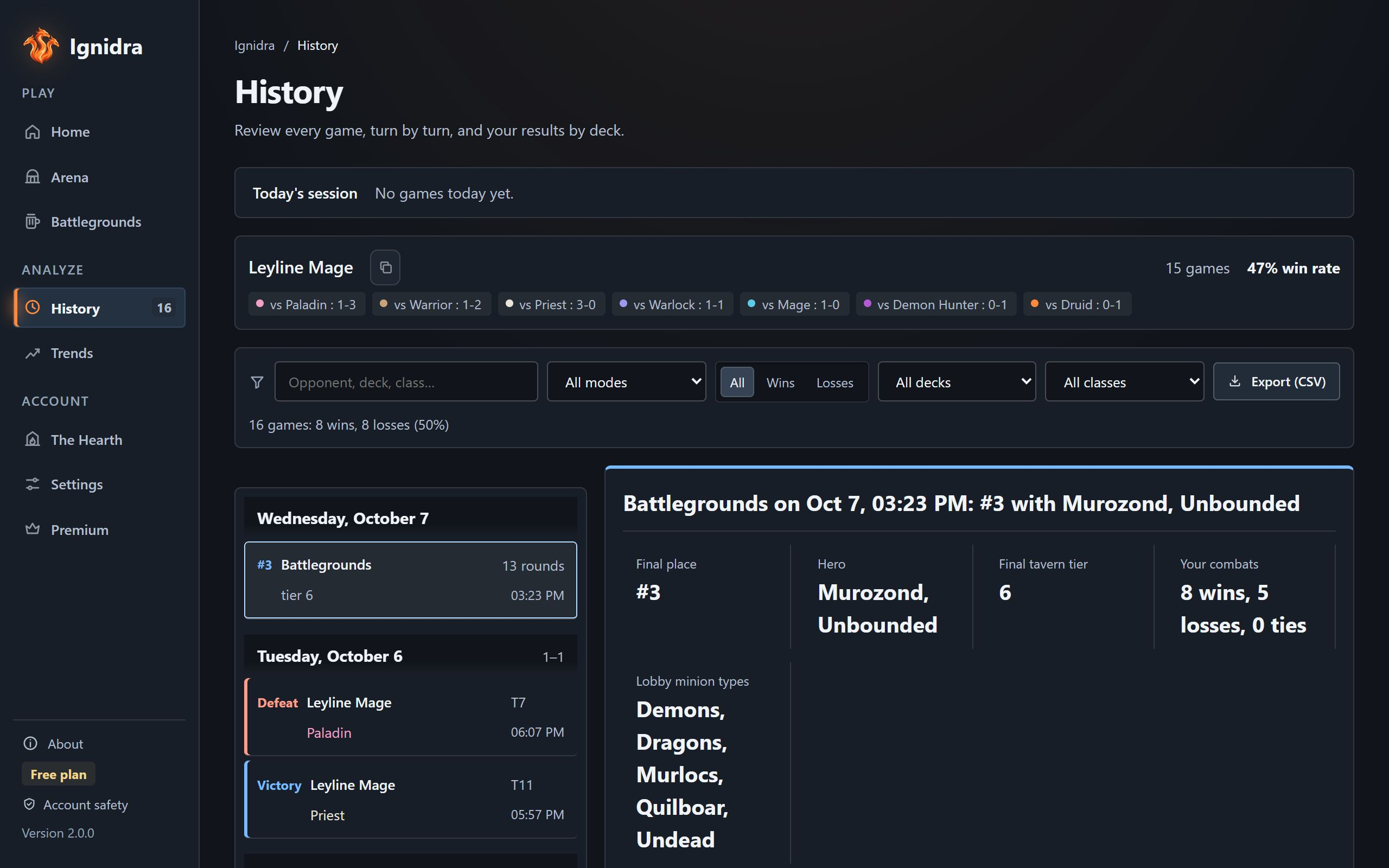
All your games, on your PC, unlimited.
- Grouped by day
- Today, yesterday, then the date, with each day's record.
- Search and filters
- By opponent, deck, class, mode (ranked and others, Arena, Battlegrounds) and result.
- CSV export
- For your own spreadsheets. Text is protected: a name starting with “=” never becomes an Excel formula.
- Backup and restore
- A copy of your history in Downloads, restored without duplicates.
- Decks
- Results by deck and by opponent class, deck code copy, import of a deck pasted straight from Hearthstone.
- Today's session
- Wins, losses and current streak. After three losses in a row, Ignidra suggests a short break.
Trends and deck lab
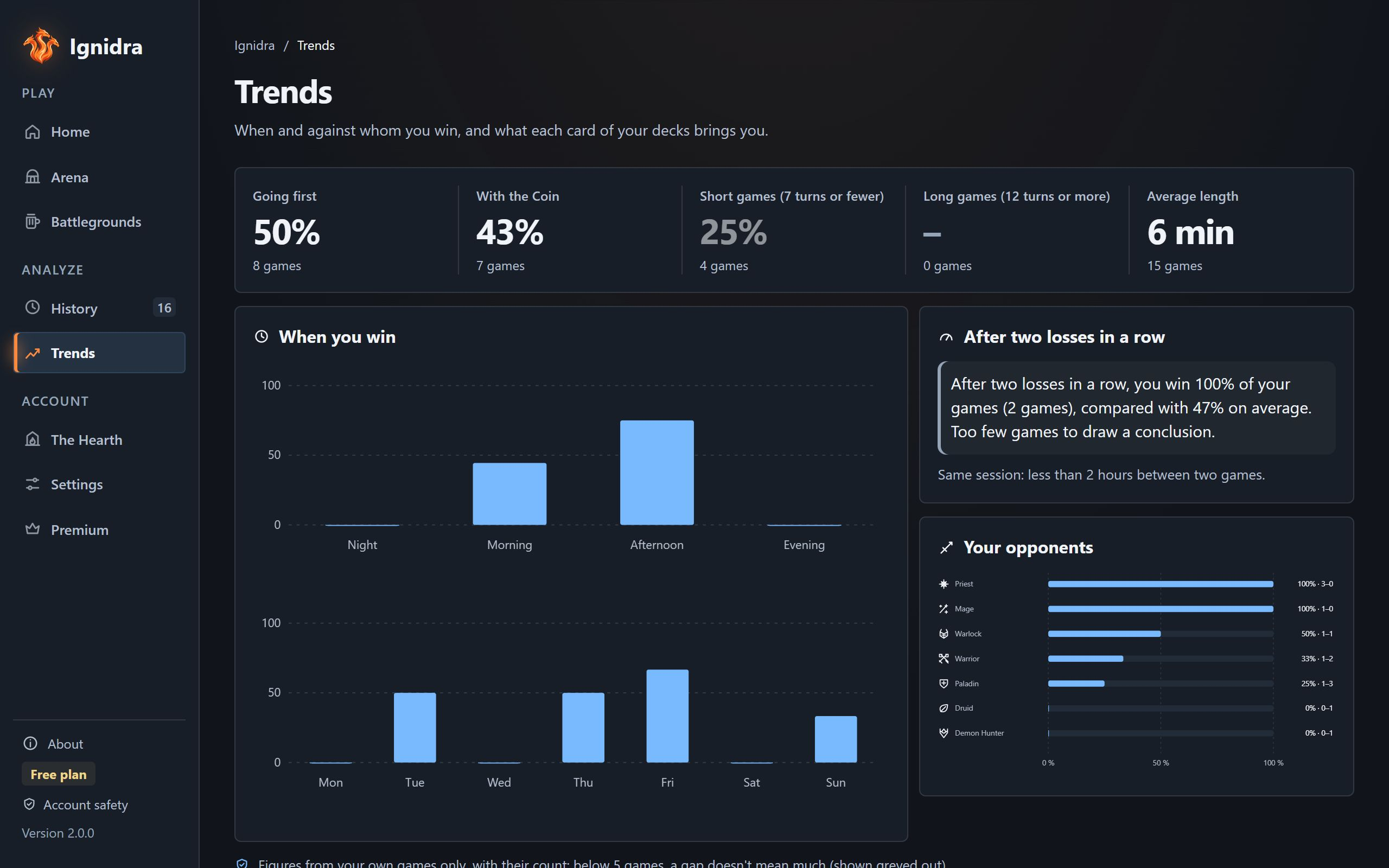
When and against whom you win, and what each card brings you.
- When you win
- By time of day and by day of the week.
- First or Coin
- Your win rate in each case, and by game length.
- After two losses
- What happens to your games after two losses in a row in the same session.
- Your opponents
- Your record against each class.
- Deck lab
- For each card: drawn, not drawn, gap, kept at the mulligan, played, still in hand at the end.
- Lab against one classPremium · Coming soon
- Coming soon: The same table limited to games against one opponent class.
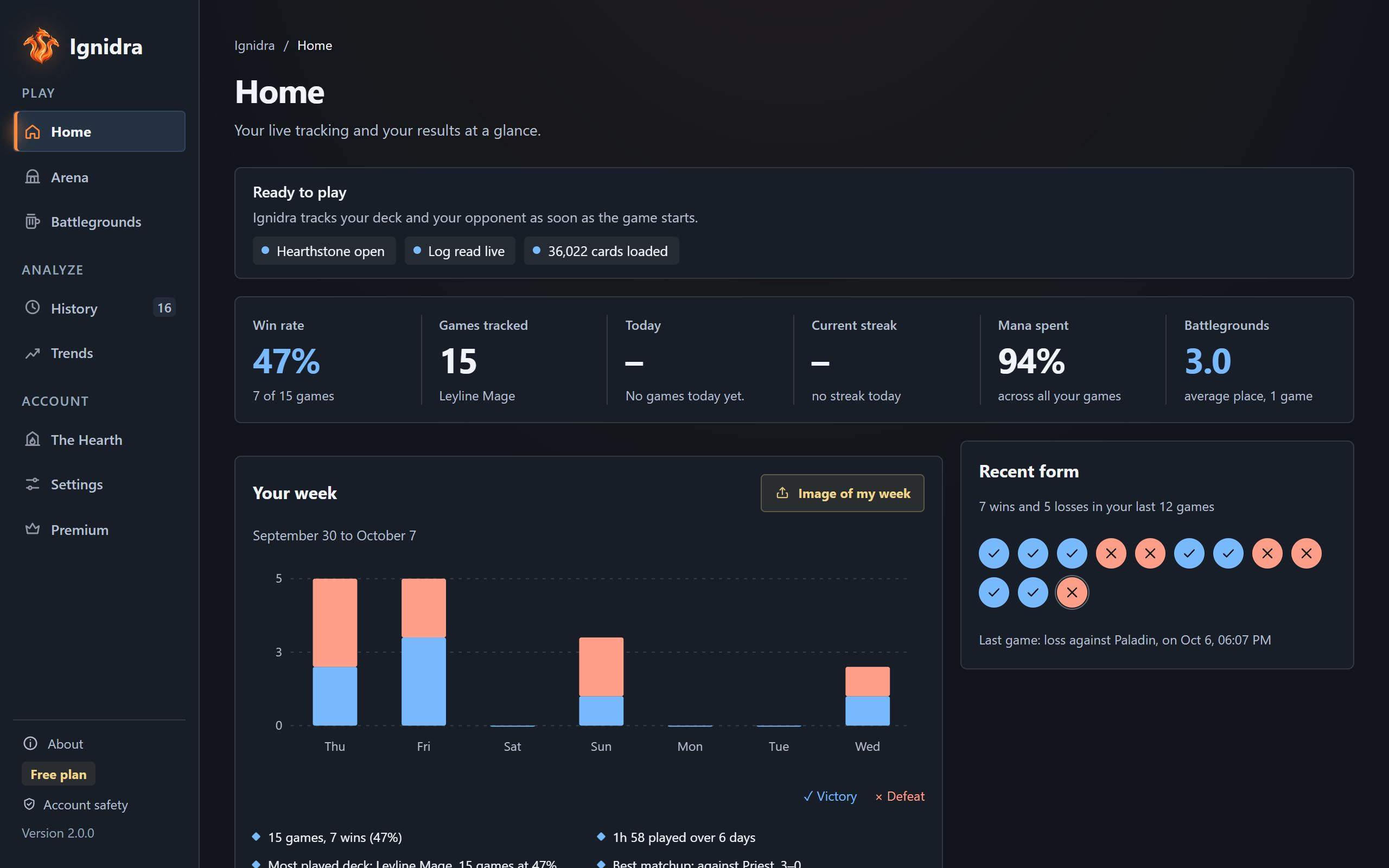
- Your week
- The last 7 days on the Home tab, compared with the week before, with an image to share.
- Honest with small numbers
- Under 5 games, a gap is shown greyed out: it doesn't mean much.
Arena
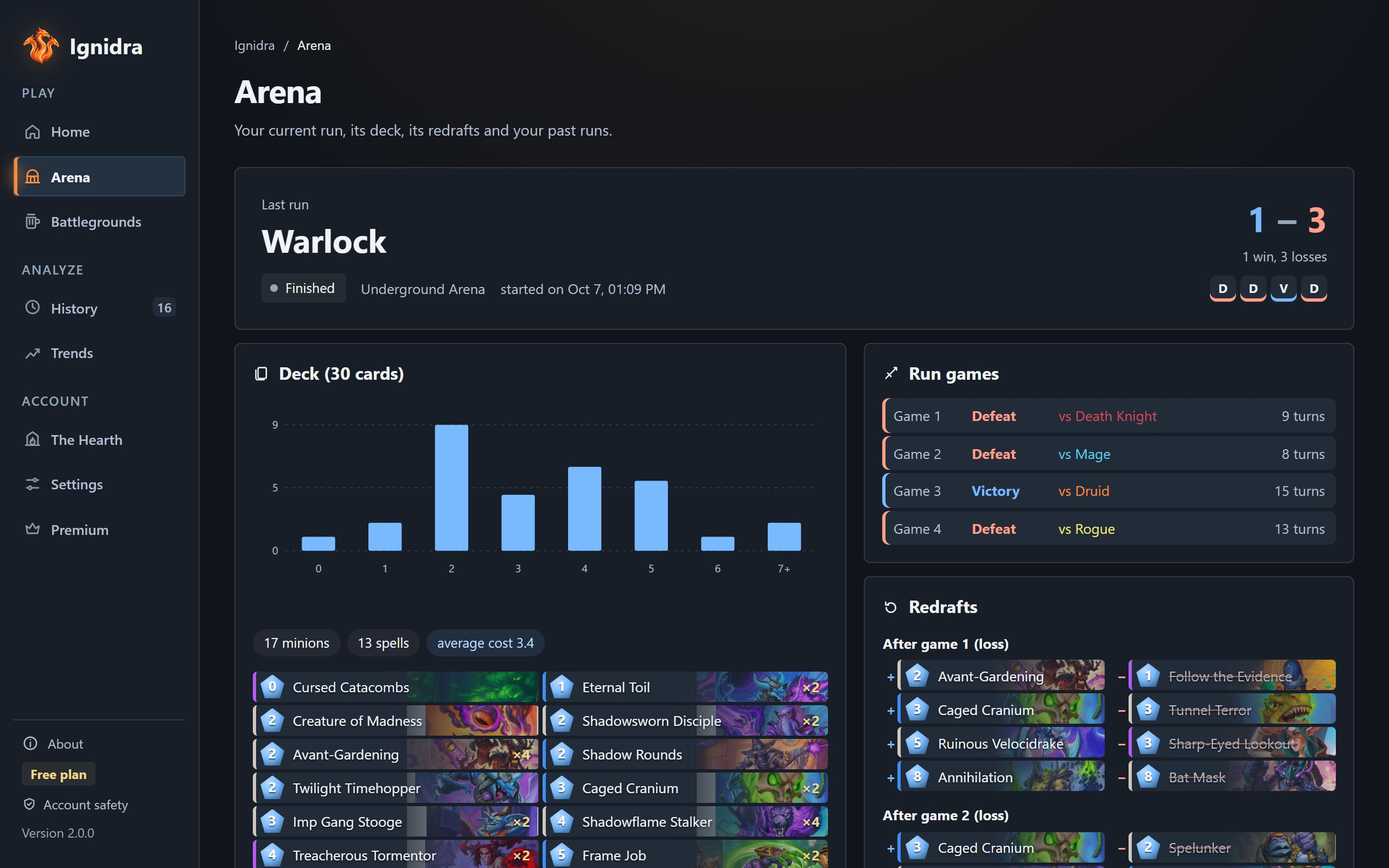
Your run, from the first pick to the last game.
- Current run
- Wins and losses, deck and mana curve of the cards you've already picked.
- Underground Arena
- Deck redrafts between games, card by card.
- In game
- Deck and opponent tracking, with your run record in the panel.
- Past runs
- Each run with its deck and games.
- During the draft
- Nothing. No card ratings or rankings: that's a Blizzard rule, and Ignidra only ever sees the card you picked anyway.
Battlegrounds
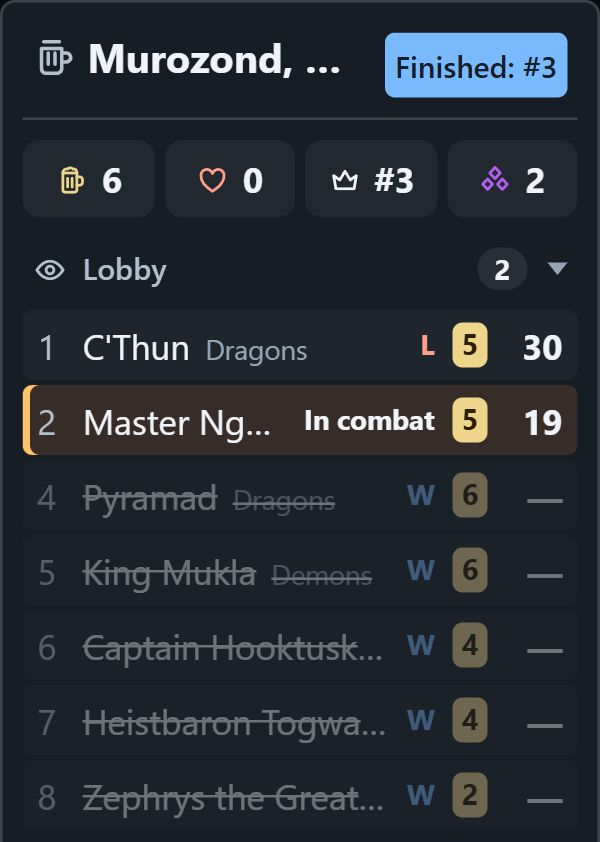
The lobby at a glance, and never a result ahead of time.
- The lobby
- Each player's hero, Health, tavern tier, triples and place, with the dominant type of the last board you saw.
- Your fights
- Against each opponent, and round by round.
- The tavern
- Minions by tier, filtered by the types in the game.
- Review
- Final place, your Health curve, fights, final board and findings.
- Nothing before your screen
- The game log writes a combat's outcome before its animation. Ignidra waits until the game shows it.
- No player names
- Other players' names are neither shown nor saved. Duos is not tracked.
Themes, accessibility and languages
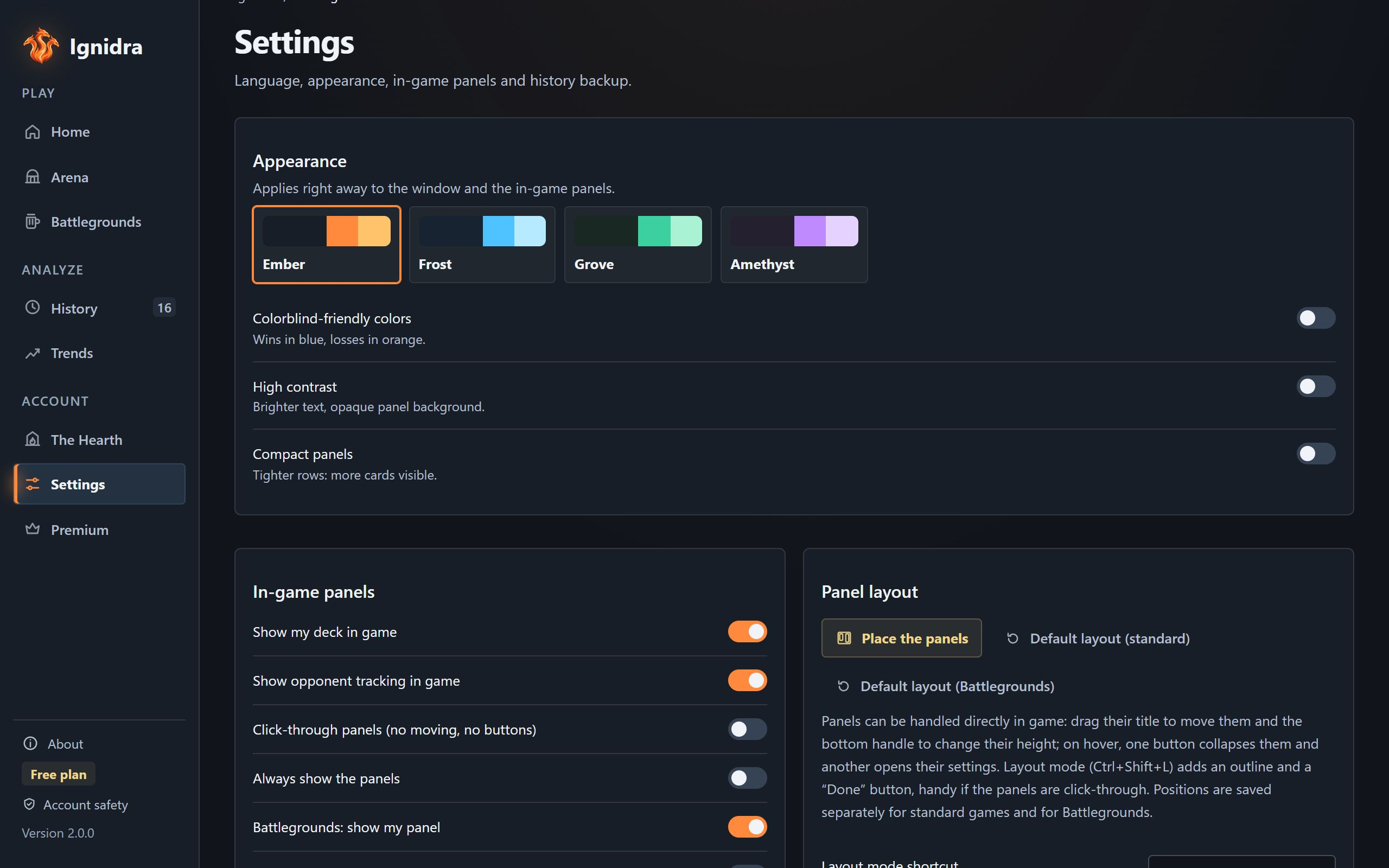
Ignidra adapts to your eyes and your language.
- 4 color themes
- Ember, Frost, Grove and Amethyst, applied live to every window.
- Color blindness
- Wins in blue and losses in orange instead of green and red.
- High contrast and compact panels
- For more readable text, or tighter panels.
- All 14 Hearthstone languages
- Interface, cards, dates and numbers: English, French, German, Spanish (Spain and Latin America), Italian, Brazilian Portuguese, Polish, Russian, Japanese, Korean, Simplified and Traditional Chinese, Thai.
- Fewer animations
- If Windows asks for reduced motion, Ignidra turns animations off.
Everyday use
A native Windows app, light and discreet.
- Native
- A standalone Windows app: nothing else to install, no ads.
- System tray
- Closing the window keeps Ignidra running near the clock; right-click to quit.
- Start with Windows
- Optionally, Ignidra starts minimized with your PC.
- Signed updates
- Downloaded in the background, verified, installed when you decide, never during a game.
- Visible resource use
- The memory, CPU and log-reading time Ignidra uses, measured on your PC and shown on the Home tab.
- Diagnostics
- If something's wrong, the Home tab tells you what to do, and a button copies the diagnostics for support.

Ignidra
Try it on your next game
Free, no account, no ads.
Download for WindowsFree · Windows 10 and 11 · version 2.0.0